The handover moved again.
The team is booked, but the space will not be ready.
LODE FOR COMMERCIAL CLEANING
For a commercial cleaning business, Lode rebooks cleans after date changes, prices extra cleaning and flags finished cleans with no invoice. Someone on your team approves each one before it goes out.
30 minutes. Sample data. No account needed.
01 / THE FAMILIAR LOOSE ENDS
The team is booked, but the space will not be ready.
Extra floors or a deeper clean need to reach the quote and the team instructions.
Someone has to explain the new plan while keeping the unaffected visits in place.
02 / OUT ON THE JOB
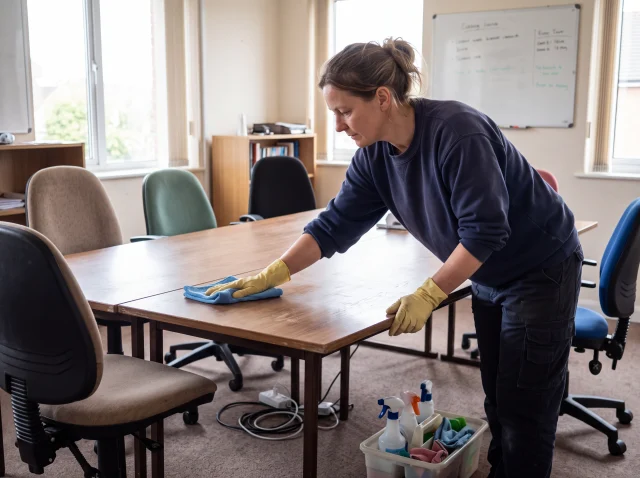
The corners, the touchpoints, the room ready for the next person. Your team knows what a good clean looks like. Lode helps keep the scope, access notes and customer updates just as clear.
03 / SEE THE WORK COME TOGETHER
“Floors 2 and 3 will be ready one week later. Please move the first clean, but keep the final clean before opening.”
A typical situation for commercial cleaning businesses. The original instruction stays attached to the prepared work.
Fictional example. Your team reviews the work before anything is sent, booked or issued.
04 / A FEW PRACTICAL QUESTIONS
Yes. We can use a sample office or shared-building contract, including access changes, extra tasks and instructions for the next visit. The handover example on this page is one kind of job we can explore.
The example prepares proposed changes for your team to review. The point is to make the consequences clear before anyone commits to a new schedule.
We spend 30 minutes on a sample job relevant to commercial cleaning businesses: the instruction, the knock-on work and the result your team would review. No account or system connection is needed.
Your team keeps the final say. The examples show prepared work that you can review, amend or send back before it is issued.
05 / IN MORE DETAIL
For a commercial cleaning business, Lode rebooks cleans after date changes, prices extra cleaning and flags finished cleans with no invoice. Someone on your team approves each one before it goes out.
Before. A builders clean (post-construction clean) is booked for Thursday, ahead of a Friday handover. On Tuesday the site manager emails to say handover has slipped a week. The email sits in one inbox. The team still turns up on Thursday to a site full of trades. The next week, the same team is double booked.
With Lode. Lode picks up the email and links it to the booking. It drafts the move to the new date and lists every other visit that team has that week. A reply to the site manager and a note to the supervisor wait with it. The operations manager approves, and the diary changes once.
1. Site changes that never reach the cleaners. A client changes opening hours, closes a floor or adds a meeting suite. The message goes to the account manager and stops there. Lode drafts the update to the site instructions and the reply to the client. The supervisor sees the change before the next shift.
2. Cover arranged at dawn by phone. Someone calls in sick and a contract visit is at risk. The supervisor rings round while the client waits to hear. Lode lists the visits affected and drafts the client message. Your supervisor still chooses who covers.
3. One-off cleans that are never billed. A client asks for an extra clean after an event. The team does it, and the request lives in a text thread. Lode flags the completed work with no invoice and puts the client's request beside it.
Lode draws on the records your office already keeps: contracts, quotes, client emails, site instructions, the diary and invoices. You see the source message next to each draft. There is no need to change your job software. We settle which records Lode works with, and who approves, before anything is connected.
BETTER BACKUP FOR COMMERCIAL CLEANING
Bring the kind of job that keeps spilling into your evening.
We’ll show you where Lode fits.